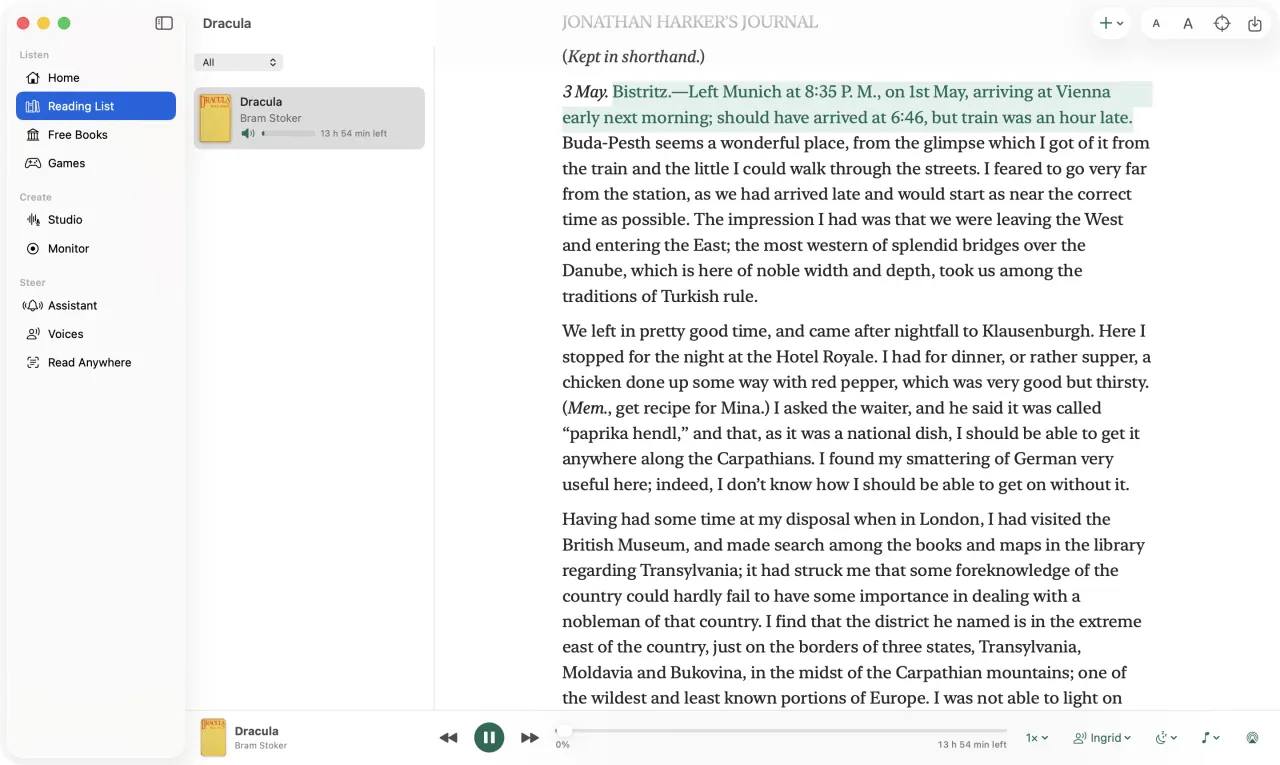
Steer · Free · No account
Hear anything, read aloud.
Books, PDFs, the web and anything you select, in an expressive voice that runs on your device.
Download for Mac1.6.19 · 55.0 MB · .dmg
macOS 14+ · Apple silicon & Intel
Download for Android1.16.6 · 18.6 MB · .apk
Android 8.0+ ·
How to install an APK
Installing the APK
- Open the downloaded file on your phone.
- If Android asks, allow your browser to install apps, then tap Install.
- Open Steer. It asks for each permission only when you turn that feature on.
Runs on your device, works offline Mac app notarized by AppleUpdated 9 Nov 2026
What's new
Steer for Mac 1.6.19
- Monitor follows sports: it reads the scoreboard for basketball, football, hockey, soccer and cricket
- Game notes with the score, big moments and every score; a final summary when the game ends
- On Screen score pill and captions over the game, even in full screen
- Highlights clip each play worth seeing; ask "who scored?" and get answers from the game
- Meetings: the floating window shows action items and decisions so far
Steer for Android 1.16.6
- What you type in "Type instead" is handled just like what you say, and Steer asks before it acts
- Steer asks before opening a web address or searching the web
- Ask about the book you're reading ("who is Jonathan Harker?") and Steer answers from the book
- The reading speed shows as 0.95×, not a long number
Verify a download
Compare a file's SHA-256 (shasum -a 256 FILE) with:
- Steer-1.6.19.dmg
- 123734c856c657b051337abe8904e66430cb8a93ff7334e33e53ac010c235cc6
- Steer-1.16.6.apk
- 1d02065c19b69acb1f07dec1babc1534624a7b46be6180efe7b64746815d6f10
- Android signing certificate
- 0a2a20dc7cd9ef7e89481828c9ea7780ac825473adbf76c06bba556f649a07b5
The Mac app is signed with Whissle LLC's Developer ID and notarized by Apple; the Android app with Whissle's release key.